Renting a Home
Record a unit's condition at move-in and move-out, or a repair that never got done. If the other side says your photos were edited, they can check for themselves.
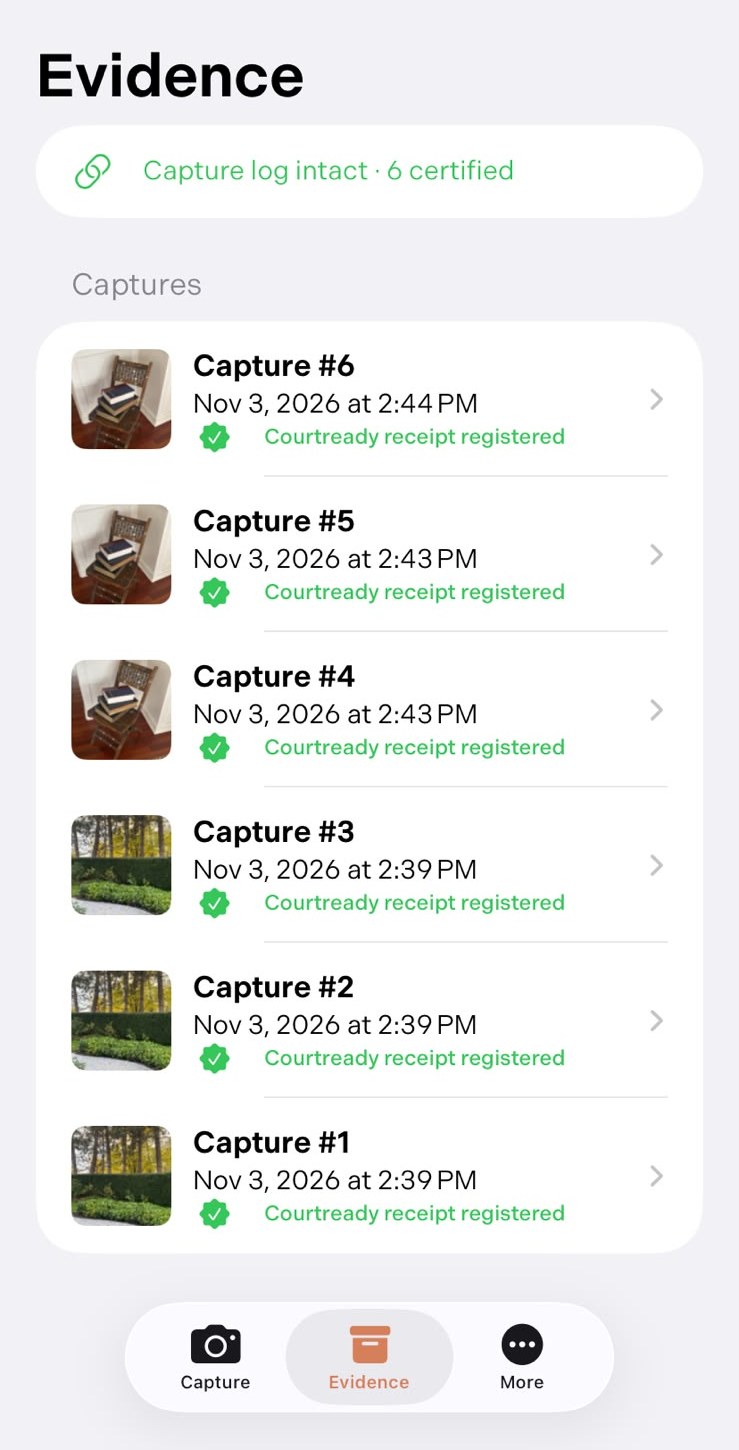
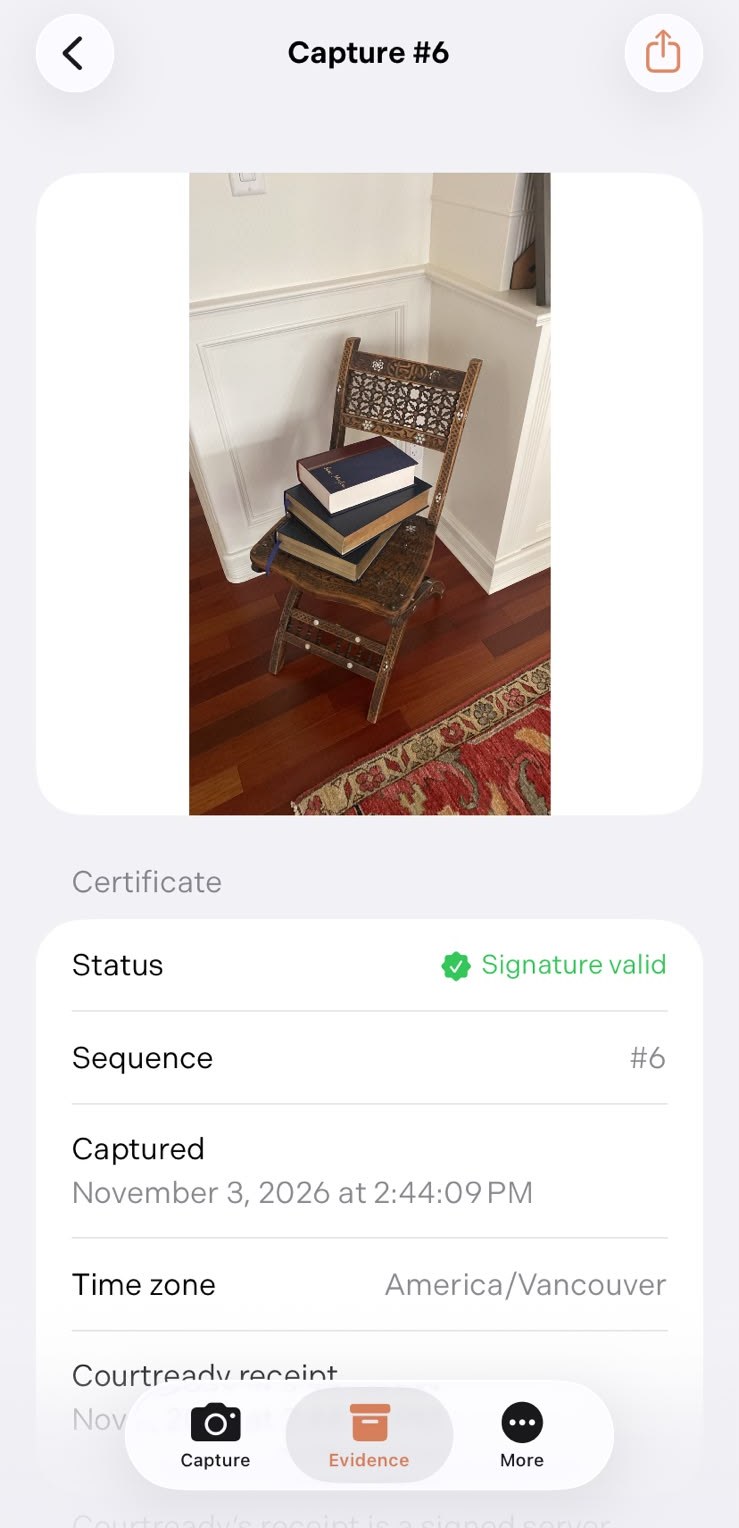
IMG_0412.jpgCertified OriginalRecord photos and videos in the CaseCollect iPhone app, and each one is certified the moment it's captured. You keep the original. Anyone can later check whether a copy still matches it, and see where it doesn't.
Free for iPhone on the App StoreSee How It Works
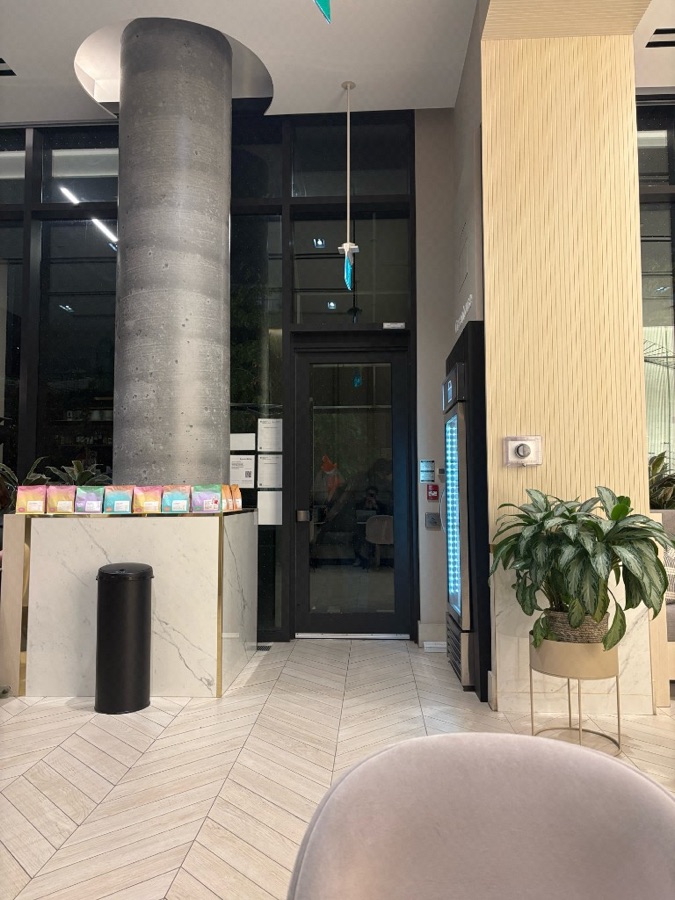 Certified Capture
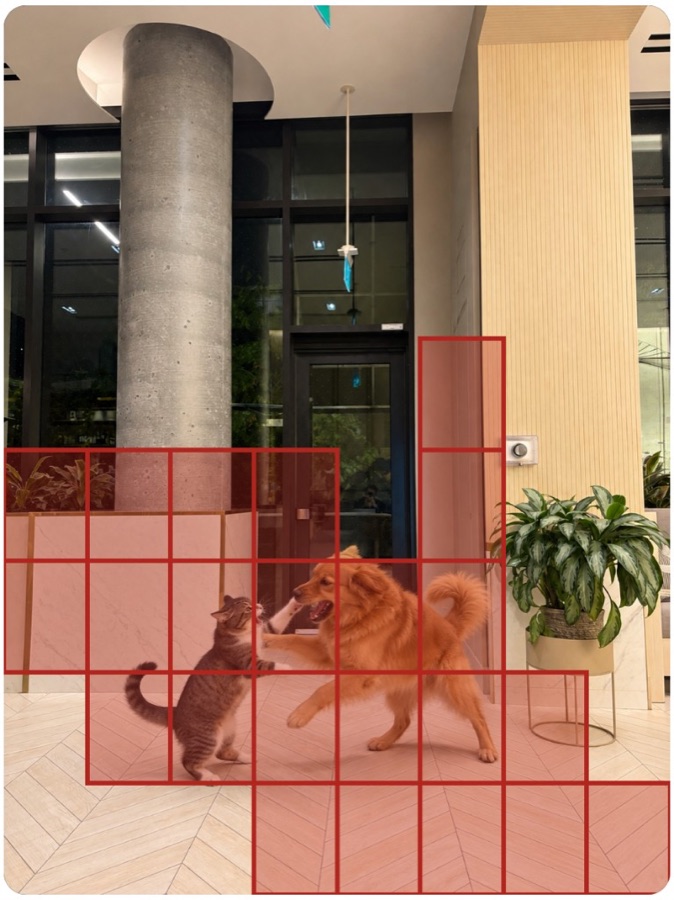 Submitted Copy
Changed Area

“That photo is fake.”
Under the Canada Evidence Act and similar laws nationwide, if you are relying on a photo or a video, you must show that it is authentic, and what you used to record it can be trusted. Now that anyone can produce a convincing fake with AI, "your photo is fake" has become an easy way to challenge real evidence. CaseCollect doesn't detect fakes. It gives you a way to show that your own photos and videos aren't one.
Four steps take a photo or video from your phone to an evidence report set out around what the Canada Evidence Act asks you to show.
Take photos or record video with CaseCollect's own camera. Nothing can be imported, so everything it certifies was captured in the app, even offline.
When you're online, the app gets a signed receipt from Courtready recording when your capture was registered. The file itself never leaves your phone.
Get a plain-language PDF report for each photo or video, ready to file with your evidence or hand to the other side.
A judge, adjudicator or opposing party can check any copy for free on the verification page, with no app or account, and see whether it's the certified original or has changed.
Your photos and videos never come to Courtready. They stay encrypted on your phone, and you decide who sees them. The app sends us only a signed fingerprint of each capture, not the file itself. Checking a copy happens in the viewer’s own browser too.
Either CaseCollect finds a certification for the file, or it doesn't. Nothing in between.
If the file still matches what was certified, you see Certified Original or Certified, Re-saved. If it has been changed, you see Edited After Certification, with the changed areas highlighted where possible.
CaseCollect could not open a certification for this file. It does not guess from how similar the picture looks. That doesn't mean the file is real or fake, only that it wasn't certified here.
Any time a photo or video might later be questioned, capture it in CaseCollect.
Record a unit's condition at move-in and move-out, or a repair that never got done. If the other side says your photos were edited, they can check for themselves.
IMG_0412.jpgCertified OriginalFilm the scene, the damage and any injuries right away, before anything is cleaned up, towed or repaired. Every frame is certified as you record.
VID_0233.movCertified OriginalShow work left unfinished, a delivery that arrived broken, or an item that doesn't match its listing. The file you send stays checkable after it's forwarded or compressed.
IMG_0518.jpgCertified, Re-savedAsk clients to capture their evidence in CaseCollect, then check every file they send before you rely on it or file it.
IMG_0602.jpgEdited After CertificationShort answers to what lawyers and their clients ask most.
CaseCollect doesn't decide that: courts and tribunals decide admissibility and weight case by case. What it gives you is a certified record that helps you show what the Canada Evidence Act (ss. 31.1 to 31.3) and similar provincial laws ask of digital evidence: that the file is what you say it is, and that the system that recorded it can be trusted.
No. CaseCollect isn't a deepfake or AI detector. It can only tell you whether a file was certified by the CaseCollect app when it was taken, and whether it has changed since. If a file wasn't taken with CaseCollect, the verification page will say “Not Certified.” That doesn't mean the file is fake, only that we have no record of it.
No. Your photos and videos stay encrypted on your phone, and you decide who sees them. The app sends Courtready only a signed fingerprint of each capture, never the file itself.
Anyone can check a copy on the CaseCollect verification page at casecollect.courtready.ca/verify. The check runs in their own browser. If CaseCollect finds a certification, it tells you whether the file is still the certified original (or only re-saved) or has been edited, and highlights changed areas where possible. If it finds no certification, it says Not Certified and does not guess from similarity. The photo or video alone is usually enough; the .courtready.json certificate is only needed if the file was cropped or re-exported.
Yes. You can capture photos and videos with no connection. Each one is signed on your phone the moment it's taken, and the app registers it with Courtready automatically once you're back online. The record shows both the time on your device and the time it was registered.
CaseCollect is free to download on the App Store for iPhone. Android isn't available yet.
Download the free iPhone app and certify your next photo or video the moment you capture it.